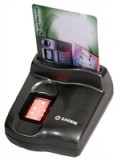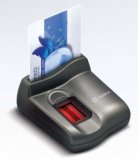
Logon
to your laptop with a touch of your finger. The BioTouch PC
Card Fingerprint Reader is a break-through in security and
convenience for PC laptop users. Now, inside a single type
II PC card, you get a fully functional optical fingerprint
reader.Just press the side of the PC card and out slides the
fingerprint reader. Place your finger on the reader to authenticate,
and press it back inits that simple! Never before has
so much security been packaged into such a compact and robust
device. BioTouch is a leap forward in fingerprint imaging
technologya state-of-the-art solution.
BioTouch comes with the award-winning BioLogon Client for
Windows software, which allows you to control who accesses
your laptop. If you need network security, the BioLogon software
can easily be configured to logon to any Windows NT domain
with BioLogon Server for Windows (purchased separately).
|

1. Insert PC Card
|

2.
Pop out fingerprint reader
|
3. Place finger on reader
|
PRODUCT SPECIFICATIONS
Hardware
Type II PCMCIA Card
FCC class B and CE certified
Software
BioLogon Client for Windows
Logon with your finger
Fast and accurate
Supports multiple fingers per user
Integrated with Microsofts Network
Security Architecture
Biometrics
Identix DFR®-300 Fingerprint Reader
Powered by BioEngine finger print matching algorithms
System Requirements
Pentium 100 MHz or faster CPU
32MB of RAM minimum
10 MB hard drive space
Type II PC Card (PCMCIA) slot
Microsoft Windows® 95/98 OSR2, NT4 Workstation
service pack 3+, Win2000, XP
Compatible Software
BioLogon 2.0 Server for Windows®: Enterprise
Network Security
BioLogon 2.0 Client: stand-alone or network logon
BioCard Client: add smart card to BioLogon
Client
BioSafe: encrypt/decrypt data with your finger
BioShield: password bank & application locking
BioLogon SDK: integrate BioLogon with other
applications
|